Settings
The Settings page provides account-wide controls for managing your Intelligence Hub data. Access it by clicking Settings in the left sidebar. Today the page exposes a single action—deleting all chats—and additional settings may appear here in the future.
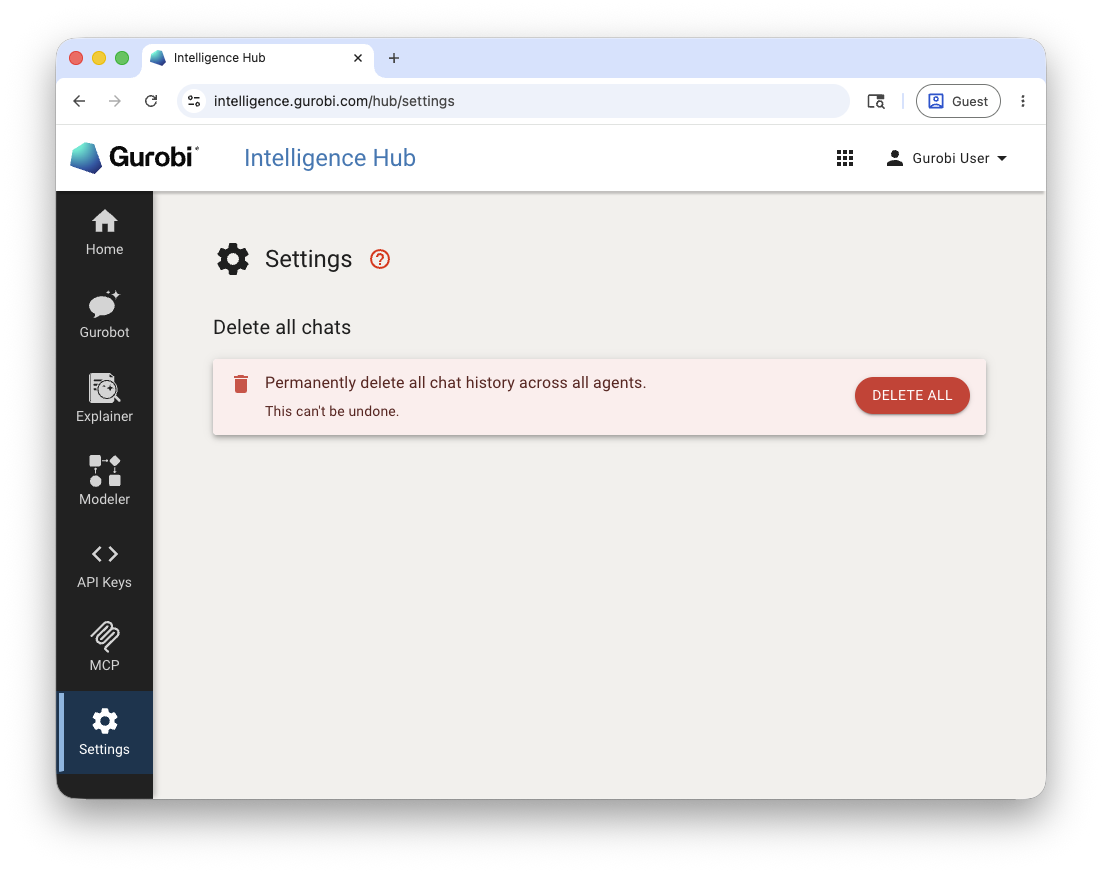
Delete All Chats
All interactions with the Intelligence Hub—including inputs, outputs, and uploaded files—are stored by the service. The Settings page allows you to permanently delete all chat history across all agents (Gurobot, Explainer, and Modeler) at once.
To delete all chats:
Click Settings in the left sidebar.
Click the DELETE ALL button.
This permanently removes every conversation across all agents from your account and from our records. Only basic usage metadata is retained for reporting purposes.
To delete the chat history of a single agent, open that agent and click Clear all history in its sidebar panel. You can also delete an individual conversation from the … menu next to it in the sidebar.
Warning
Deleting all chats is permanent and cannot be undone. All conversation history, analysis results, and uploaded files across all agents will be permanently deleted from our systems.