Modeler
Modeler is an AI agent that guides business users and developers through
mathematical optimization problem modeling and implementation using Gurobi.
Through an interactive plain-language workflow, Modeler helps you co-develop
and validate a business specification, then uses that specification to
produce a complete optimization project: a working gurobipy
implementation, an executable test suite, and—on demand—a mathematical
formulation.
Features
Conversational Specification: Modeler asks one clarifying question at a time, grounded in best practices and a knowledge base of optimization examples, and incrementally builds a structured specification of your business problem.
Business-First Approach: The specification phase focuses on the business problem—objective, constraints, data, scenarios—rather than on mathematics, so non-experts can drive the conversation.
gurobipy Code Generation: Once the specification is complete, Modeler generates a full
gurobipyimplementation that follows Gurobi coding best practices.Automatic Unit Tests: Modeler generates a
pytesttest suite covering the scenarios captured in the specification, runs the tests, and iterates on the implementation until either every test passes or it detects an inconsistency it cannot resolve on its own—in which case it stops and asks you to weigh in.Mathematical Formulation on Demand: Modeler can produce a clean LaTeX mathematical formulation (sets, parameters, decision variables, objective, constraints) consistent with the specification and the implementation.
Agile Updates: When you ask for a change, Modeler updates the specification first, then propagates the change to the implementation and tests, keeping all artifacts consistent.
Project Check: Point Modeler at an existing project (specification, code, tests) and it will identify gaps, fill in missing pieces, and verify that the implementation matches the specification.
Reimplementation and Conversion: Modeler can recover a specification from an existing model file and reimplement it in
gurobipyfollowing current best practices.
Using Modeler
To open Modeler, click Modeler in the left sidebar or select the Modeler card from the home page. The welcome screen prompts you to describe the business problem you want to optimize.
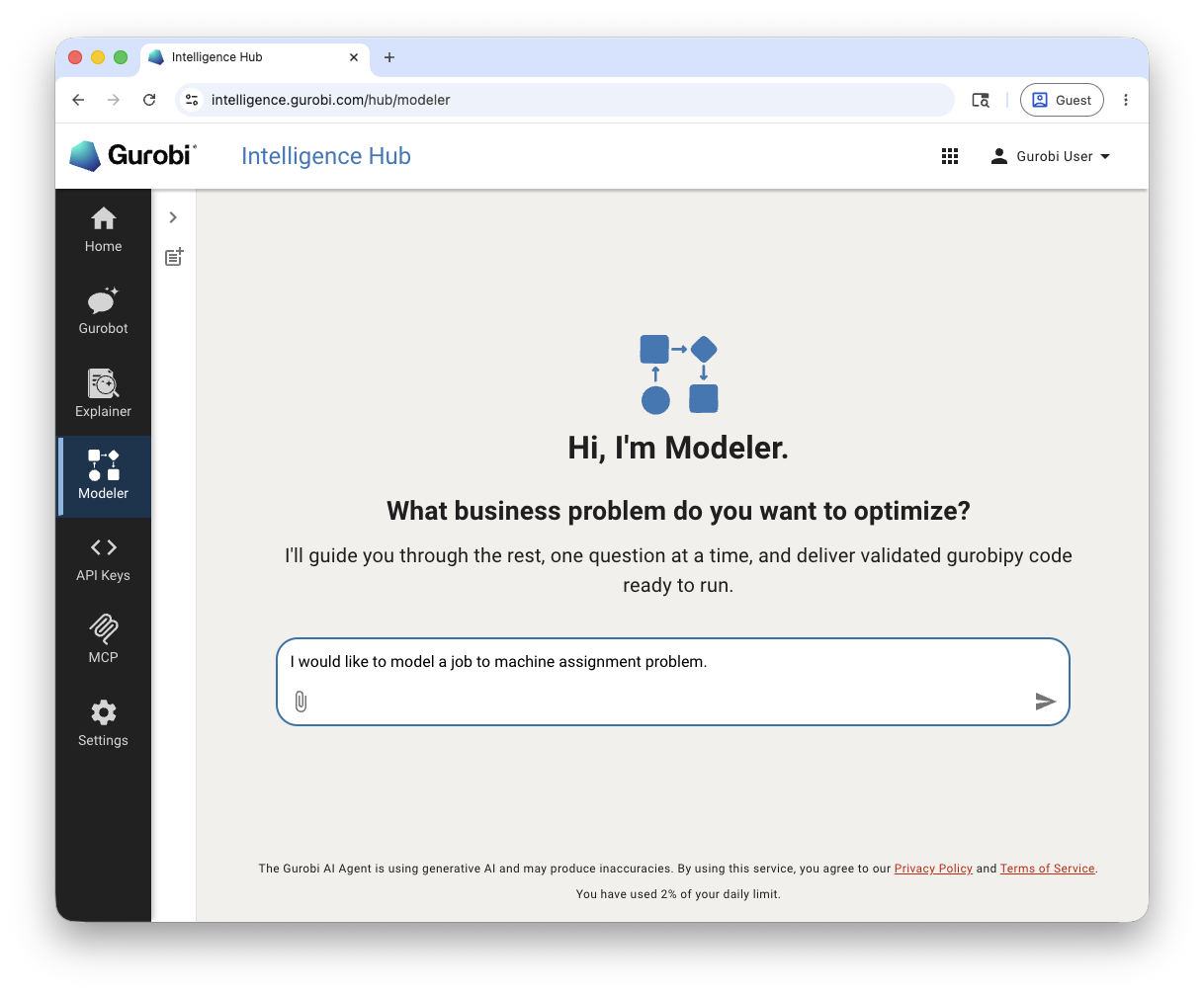
Modeler guides you through the project in a structured sequence of steps. All generated artifacts are saved to the conversation workspace as attachments that you can open in a side panel, copy, or download.
Step 1: Specification
Modeler asks clarifying questions one at a time, starting with the most important one. Each question typically comes with an ordered list of common options. These options are drawn from examples in the knowledge base and from general knowledge about the specific problem and industry you are working in, so the choices reflect how similar situations are usually modeled. Pick the choice that matches your situation or describe your own. To select an option, just type its number—you do not need to retype the full text.
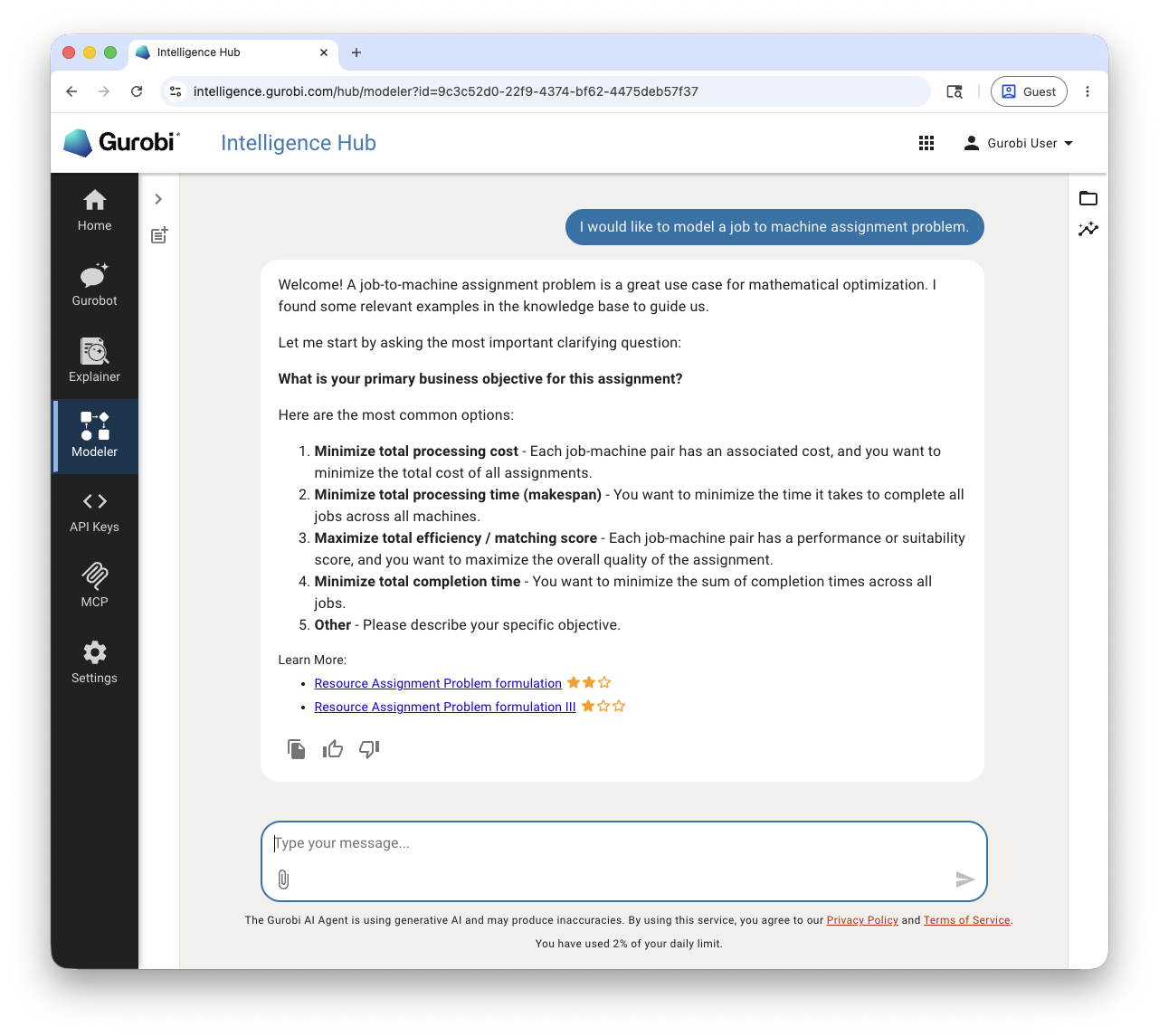
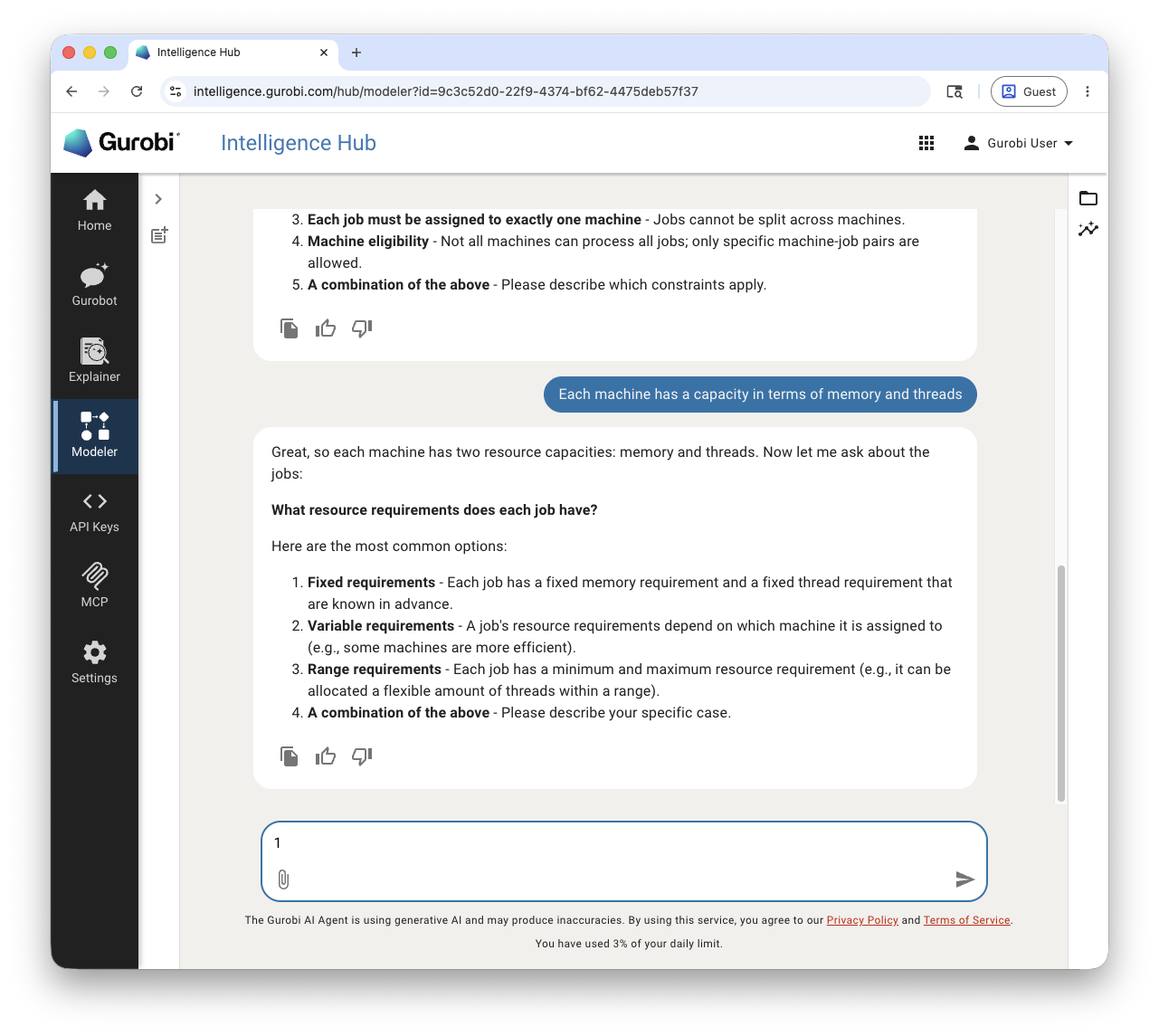
Typical questions cover:
The business objective (for example, minimize cost, minimize the number of resources used, maximize throughput).
The constraints that must be respected (capacity limits, exclusivity rules, assignment rules, etc.).
The data entities involved and their fields.
The expected output structure.
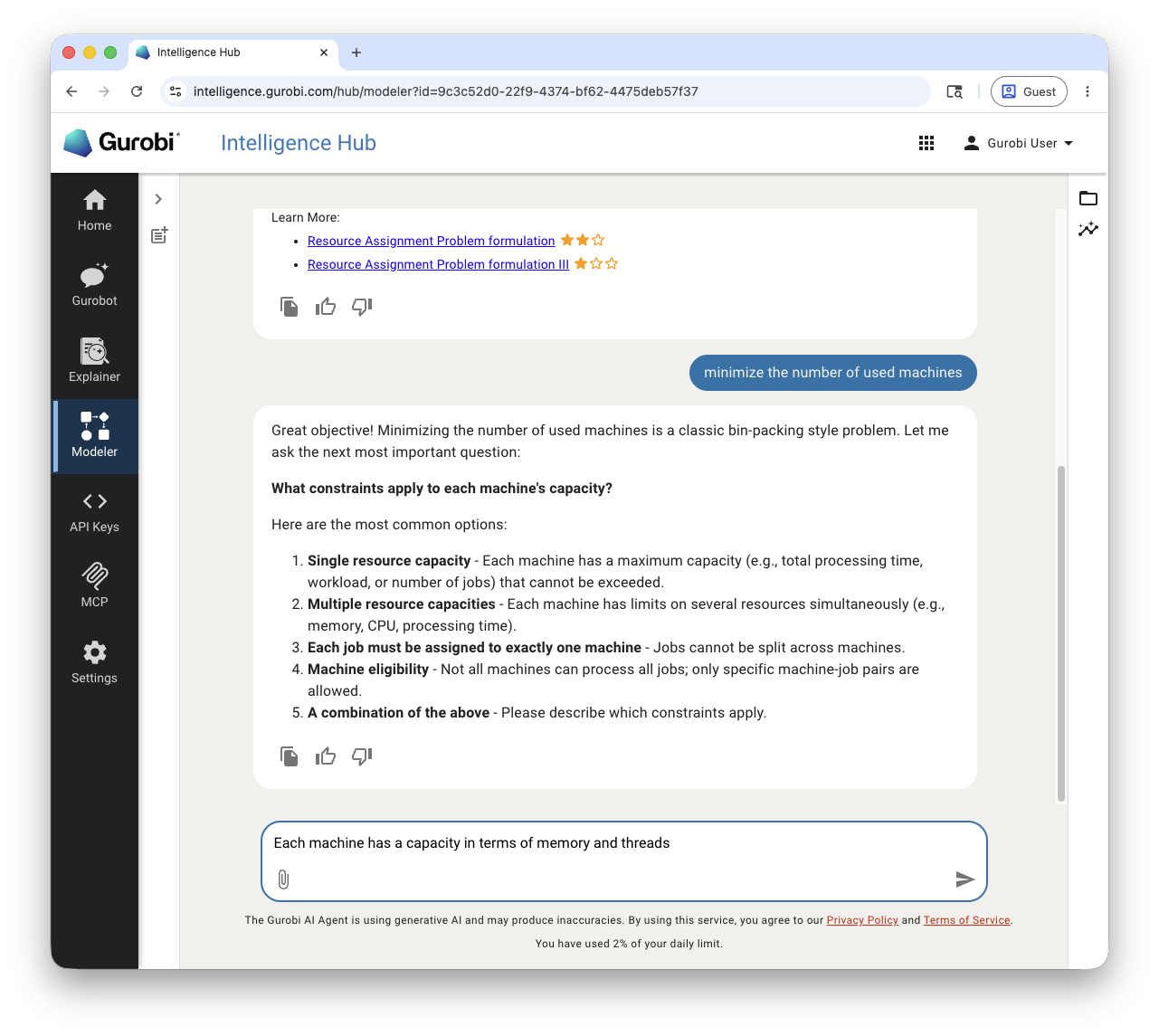
After every answer, Modeler updates the specification document, even when it is still incomplete. The specification follows a fixed structure:
Overview - a brief description of the business problem.
Objective - the business objective.
Constraints - one subsection per constraint, each with an identifier (C1, C2, …).
Input - data entities, their fields, and types.
Output - the structure of the business solution.
Test scenarios - expected and edge cases at the business level, each with an identifier (T1, T2, …), input data, and acceptance criteria.
Out of scope - items explicitly excluded from the model.
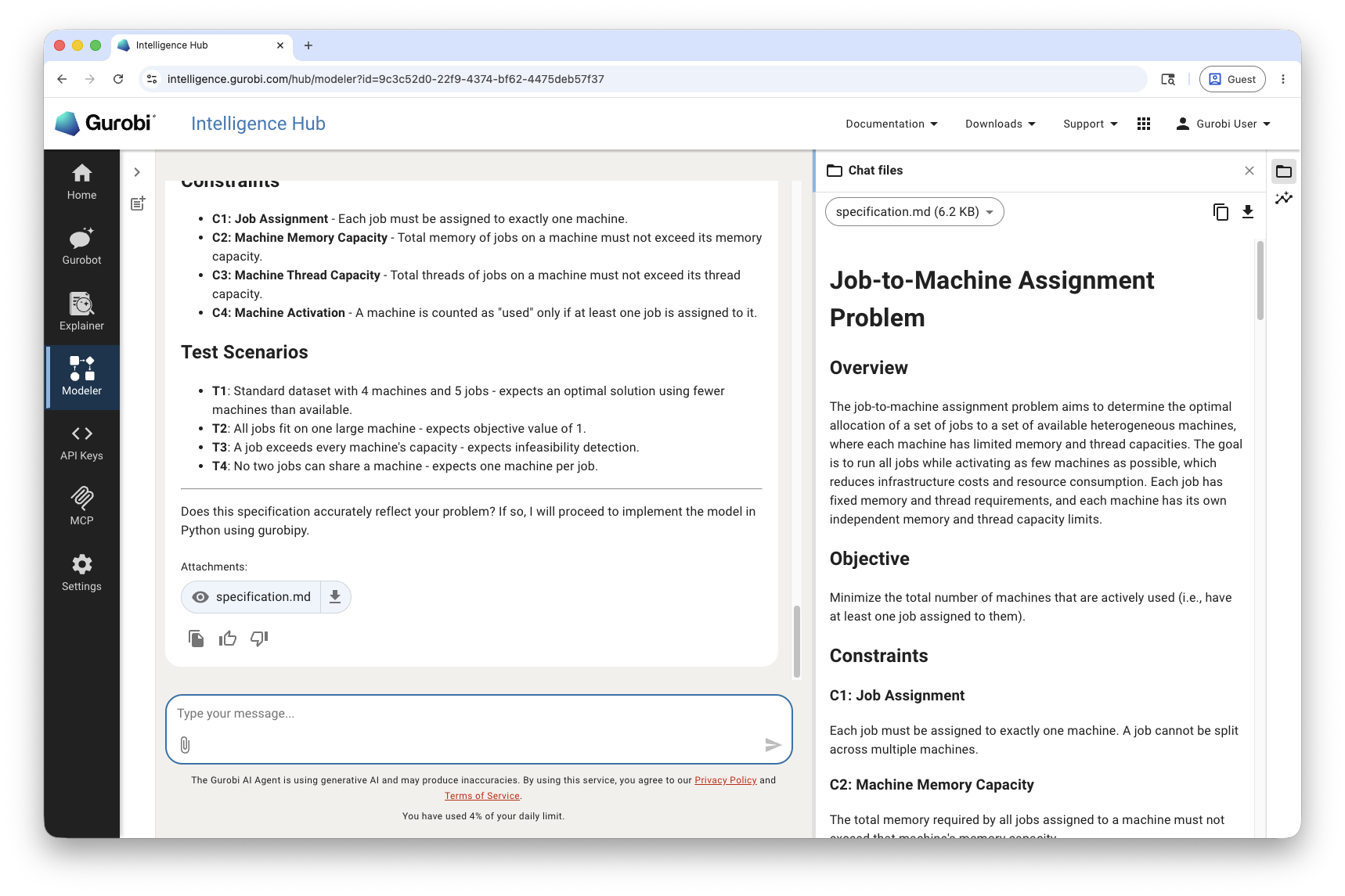
When the specification is complete, Modeler proposes to move on to the implementation.
Step 2: Implementation
Modeler generates a complete gurobipy implementation of the model
following Gurobi coding best practices. Python with gurobipy is the
default; you can request a different language at the start of the
conversation.
The implementation is saved to the workspace as a Python file you can open, copy, or download.
Step 3: Unit Tests
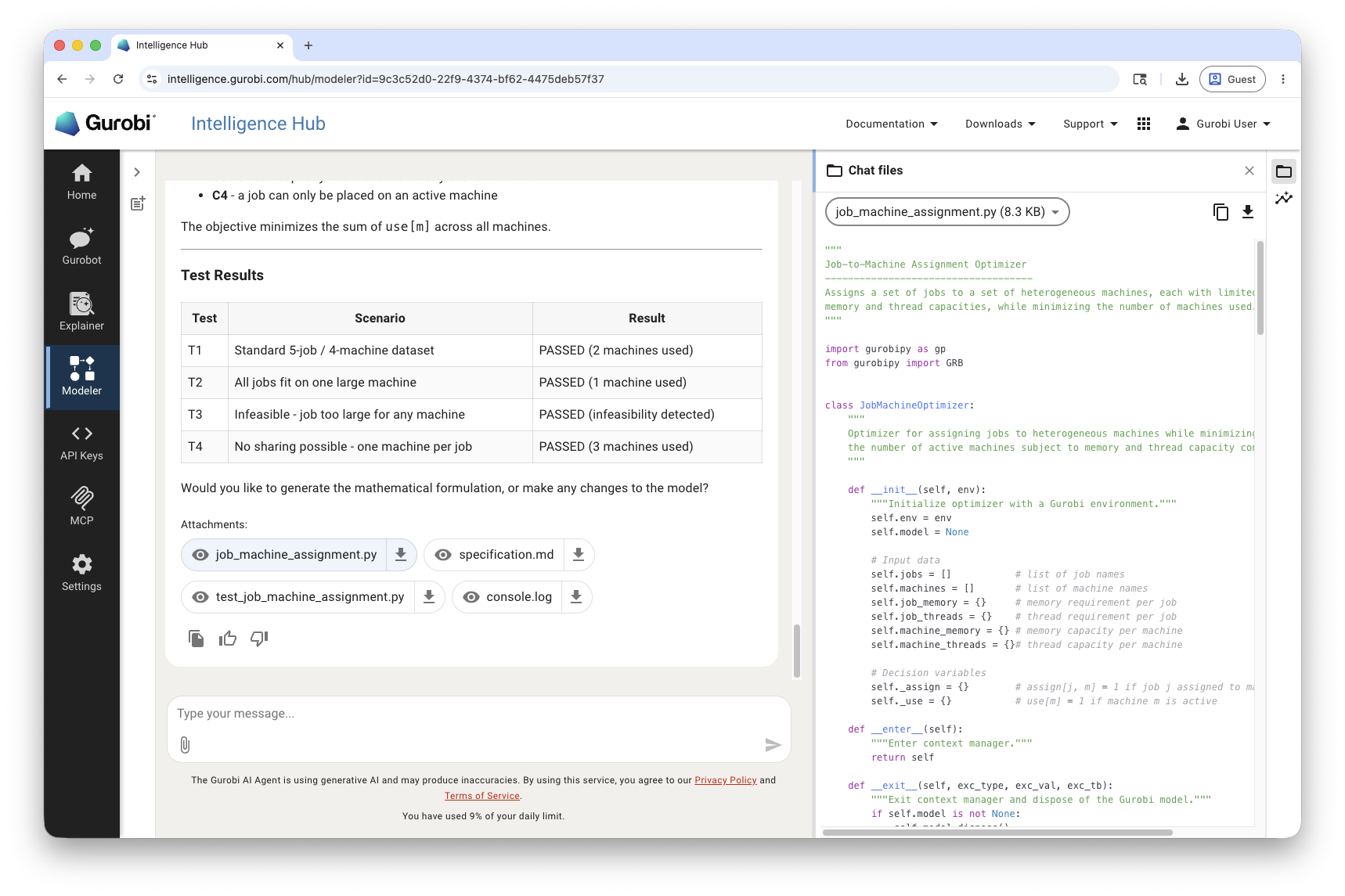
Modeler generates a pytest test suite in a separate file, with one test
per scenario defined in the specification. Each test references its scenario
identifier, uses small hard-coded sample data to keep execution fast, and
applies a short solver time limit.
Modeler runs the tests, reads the output, and iterates on the implementation. The loop ends in one of two ways:
All tests pass. Modeler resolved the failures automatically and the implementation now matches every scenario in the specification.
An inconsistency is detected. If Modeler concludes that a failure reflects a contradiction between the specification, the implementation, and the tests—rather than something it can fix on its own—it stops the loop and warns you, summarizing what it found so you can decide which side to correct.
The execution log is saved to the workspace alongside the code and tests.
Step 4: Agile Updates
When you request a change—a new constraint, a different objective, an adjusted data structure—Modeler updates the specification first, then the implementation and tests, in that order. If it detects an inconsistency between the existing specification and implementation, it asks you to confirm which side is correct before making any change.
Generating a Mathematical Formulation
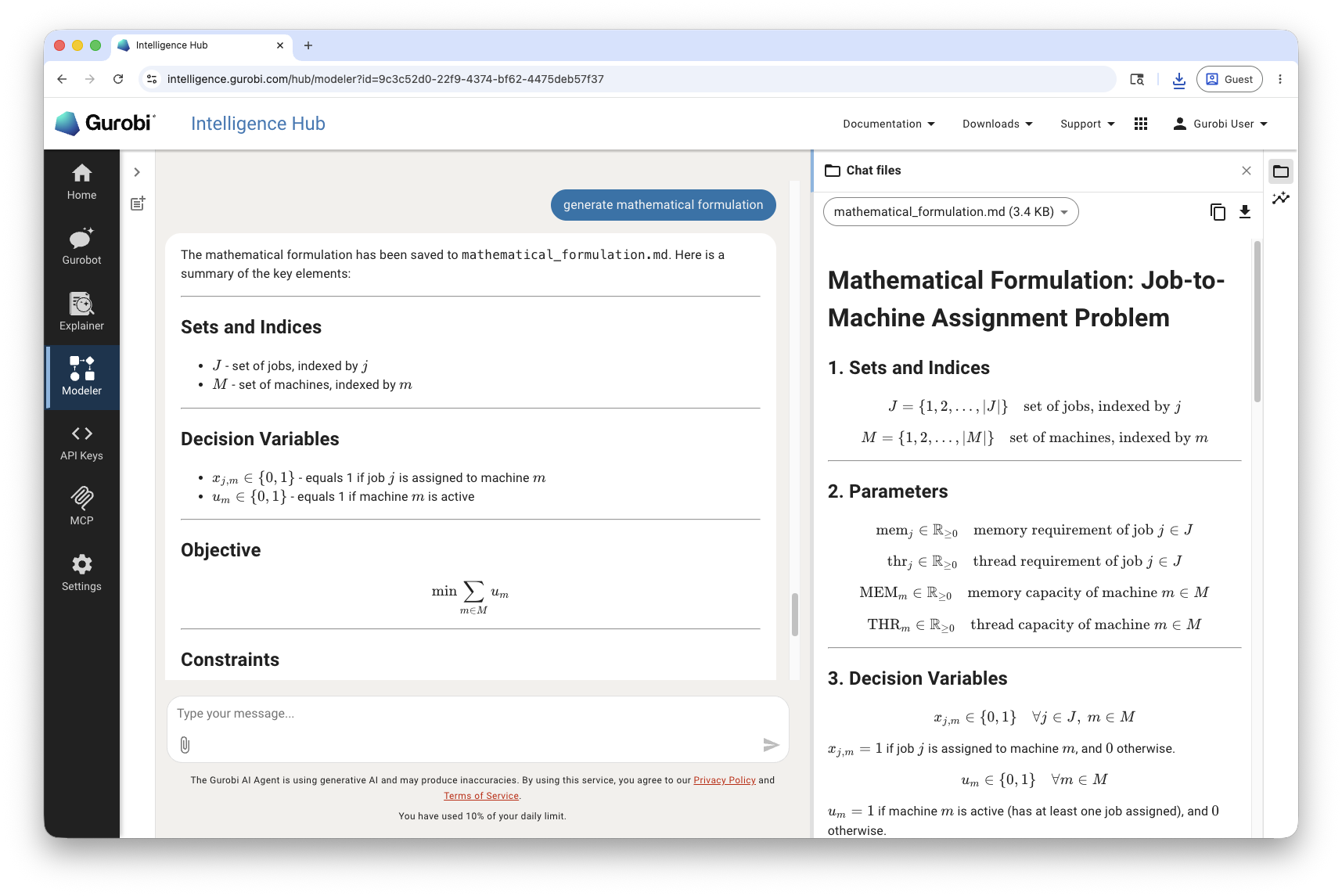
At any point you can ask Modeler to generate a mathematical formulation of the model. Modeler produces a Markdown document with LaTeX expressions covering:
Sets and indices
Parameters
Decision variables
Objective function
Constraints
Complete model formulation
Additional notes
The formulation is consistent with the current specification and implementation, and is saved to the workspace.
Checking an Existing Project
If you upload the files of an existing optimization project (specification, code, tests), you can ask Modeler to check the project. Modeler will:
Verify that the specification is complete; if not, ask clarifying questions to complete it.
Generate the implementation and basic tests if they are missing.
Verify that the implementation matches the specification—the specification takes precedence—and update the code or tests where they diverge.
Run the tests and fix any failures.
Reimplementing or Converting a Model
You can also ask Modeler to reimplement an existing model from a source
file—for example, to convert a model from another language into gurobipy
or to refresh an older implementation. Modeler will recover a specification
from the original file, ask you to confirm it, then generate a new
implementation and tests that are functionally equivalent to the original.
Managing Conversations
Like Gurobot and Explainer, Modeler maintains a history of your sessions. Use the sidebar panel to start a new chat or revisit previous projects. Click Clear all history to delete every Modeler conversation, or use the … menu next to a chat to Rename or Delete it individually.